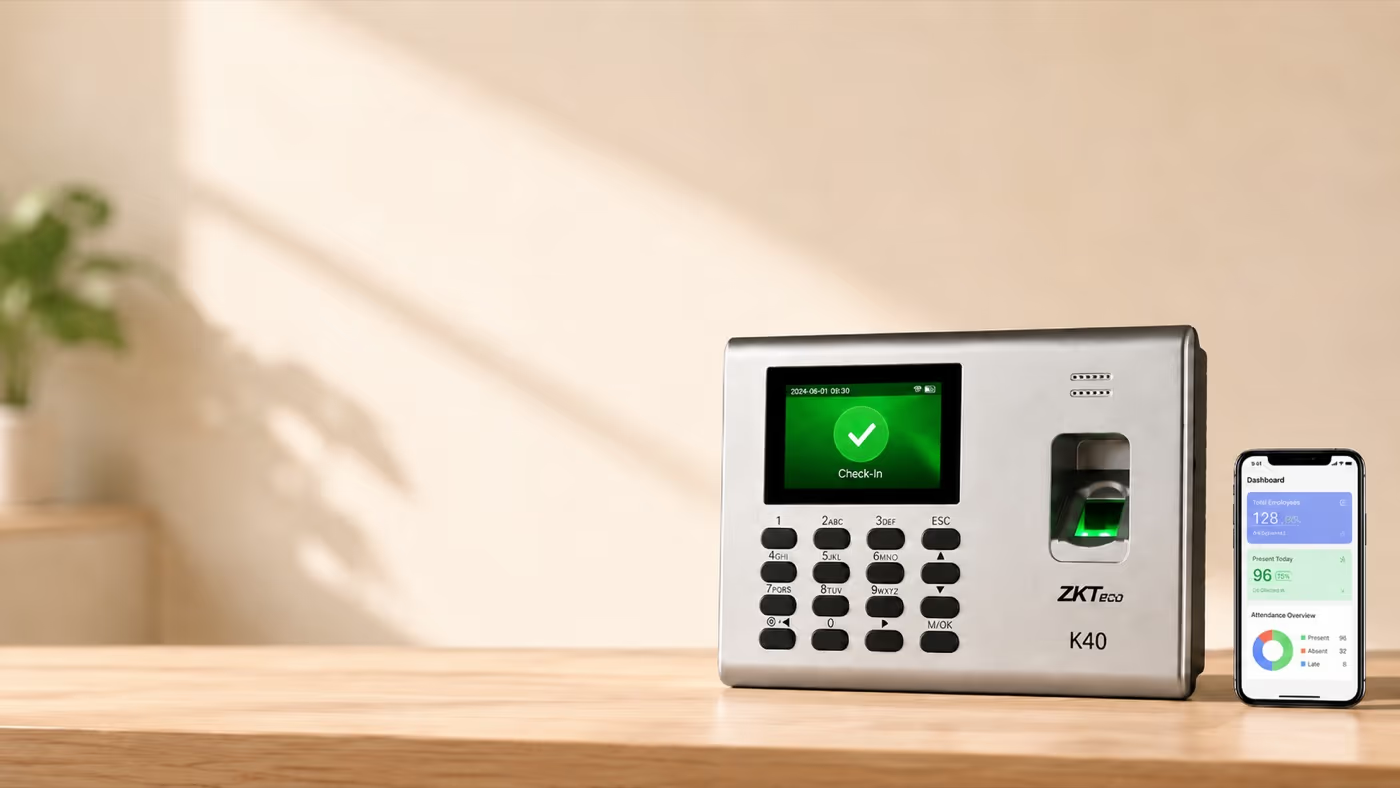

Walk into any small Indian shop or factory with a biometric door reader and there's a 70%+ chance it's a ZKTeco — K40, F18, F22, MB360, MB10. The brand is everywhere (psst — even most eSSL devices are rebranded ZKTeco). The software story, however, is a mess.
Owners get sold "ZKTeco integration" by so-called "Attendance Management" vendors that, in practice, means "you USB-export attendance once a month and email it to us." That isn't integration. That's email.
I'm going to walk through what comprehensive attendance software for ZKTeco devices actually has to do — handle real-time punch capture, multi-device sync, payroll, and Shop & Establishment Act–ready reports. And I'll list the Indian attendance software providers that actually do it.
Key takeaways
- Comprehensive ZKTeco integration runs on the ADMS push protocol — not USB exports or vendor SDK polling.
- ADMS works behind NAT and typically does not require a static IP at your shop.
- Most ZKTeco devices in Indian SMBs (K40, K45, F18, F22, MB360, IN01-A) ship with ADMS support in firmware.
- Set the server URL on the device once, register the device in your software, and punches sync in real time.
- The hardware is 20% of the decision. The software that handles punches, payroll, and compliance is the other 80%.
What "comprehensive integration" actually means
Comprehensive attendance software for ZKTeco devices is software that pulls real-time punch data from one or more ZKTeco biometric machines via the ADMS push protocol (or SDK pull), deduplicates and reconciles employee records, handles offline buffering, and feeds the data into payroll and statutory compliance reports.
That definition rules out five things commonly sold as "integration":
- Manual USB export (the default ZKTime workflow)
- One-machine-at-a-time integration only
- Read-only sync with no two-way employee provisioning
- Static-IP / same-network requirement to reach the device
- Attendance-only outputs with no payroll or Shop Act register
That isn't integration. That's email.
If your shortlisted attendance software does any of those, it isn't comprehensive — it's just a viewer.
The 3 ways biometric data reaches your software
There are exactly three connection methods. Knowing which one a vendor uses tells you everything.
1. ADMS / Push protocol. ZKTeco's own protocol pushes punch logs to a configured URL the moment a punch happens. Set it up once on the device (Menu → Comm → ADMS / Cloud Server) and every punch flows in real time. Works behind NAT (Network Address Translation). Typically, no public IP is needed. This is the right fit for 95% of small businesses.
2. SDK / pull integration. The software vendor's server polls the device on schedule via ZKTeco's SDK (Windows or Linux libraries). Higher friction — usually needs a static IP and open ports — but gives two-way sync, so you can provision a new employee remotely and have the fingerprint template flow down to the device.
3. Manual export (USB / ZKTime). ZKTeco's own desktop software workflow. Plug in a USB, copy the day's logs, import. Don't accept this in 2026.
If a vendor's "ZKTeco integration" isn't ADMS-based, ask exactly how punch data gets to their server. The answer will expose everything.
ZKTeco ADMS vs SDK: the technical difference, in plain words
Most shop owners hear "ADMS" or "SDK" thrown around by vendors and nod politely without knowing what either means. Here's the plain-English version.
ADMS (Automatic Data Master System) is a push protocol. Think of the device as the one making the phone call. You give it a number to dial — the server URL — and the moment someone punches in, the device dials out and delivers the punch. The receiving software doesn't need to know where the device is. Punches work over any home router, a mobile hotspot, even office WiFi behind a firewall. As long as the device can reach the network where your software lives, it can deliver the punch.
The SDK is a pull protocol. Now the software is the one making the call. It dials into the device, reads its memory, hangs up. For that to work, the device has to have an address the software can find — a static IP, a port-forwarded router, or a VPN. The SDK can do more powerful things, like provisioning fingerprint templates and clearing logs remotely. But for a shop owner with one biometric machine and a domestic Jio Fiber connection, the SDK is overkill that breaks every time the router restarts.
If the onboarding asks for port forwarding, it's SDK. If it asks for a server URL, it's ADMS.
The simple test: if a vendor's onboarding instructions ask you to "set up port forwarding on your router" or "give us a static IP," they're using SDK. If they ask you to "set the server URL on the device," they're using ADMS. Pick ADMS unless you have an explicit reason not to. For the network-level mechanics of getting any biometric device talking to a PC in the first place, my guide on how to connect a biometric device to your computer walks through the cable, IP, and subnet setup step by step.
The 8 features that make integration comprehensive
- Multi-device, multi-location sync. Three K40s across two outlets feeding one dashboard.
- Offline buffering. Internet or LAN drops? The device stores up to 80,000 transactions and syncs when the connection returns.
- Two-way employee provisioning. Add staff in the software; fingerprint template flows down to the device (capabilities vary by firmware).
- De-duplication and reconciliation. Same fingerprint punched twice in 30 seconds collapses to one valid punch.
- Payroll calculation engine. The most important bit — attendance data is available; combine it with basic salary structure and a few rules and you get net pay, EPF, ESI, Professional Tax, TDS, payslips — all auto-derived from punches.
- Shop & Establishment Act register export. State-prescribed format for Maharashtra, Karnataka, Tamil Nadu on demand.
- Geofence + selfie fallback for staff away from the device. Drivers, field merchandisers, multi-outlet floaters. Nice-to-have, not mandatory.
- Audit trail. Every edited or manually adjusted punch logged with who, when, and why. Non-negotiable for inspection defence.
ZKTeco device compatibility: what plays nicely with ADMS
| Model | ADMS | Common use | Notes |
|---|---|---|---|
| K40 | Yes | Small shops, offices | Most common in Indian SMBs; ₹8k–10k |
| K45 | Yes | Small shops, offices | A more affordable variant of K40 with some features cut. ₹6k–8k |
| F18 | Yes | Mid-size offices | Fingerprint, larger capacity |
| F22 | Yes | Modern fingerprint + face | Good for retail outlets |
| MB360 | Yes | Multi-modal (face + fingerprint + RFID) | ₹10k–12k entry tier |
| MB10 / MB20 | Partial | Older deployments | Some firmware versions don't push reliably |
| IN01-A | Yes | Industrial / factory | Robust on shop floors |
| UA300 | Yes | Wall-mounted, low cost | Common in salons and clinics |
(Compatibility last verified: May 2026. Note: Older units sometimes ship with ADMS disabled and need a firmware update.)
Not sure if your ZKTeco model supports ADMS?
Ask our setup team before you buy →Setup walkthrough for K40 → ADMS sync
The K40 is the most common Indian SMB device, so I'll use it as the example. The same logic applies to F18, MB360, IN01-A.
- On the device:
Menu → Comm → Ethernet → DHCP On(or set a static IP if your network requires one). - Confirm network reachability:
Menu → Comm → ADMS → Server URLandServer Port. - In your software dashboard, get the ADMS server URL specific to your installation (e.g.,
adms.yourshop.localor a specific IP address on port 80 or 443). - Paste into the device. Set
Enable Domain Name = Yes(if using a URL) orNo(if using a direct IP). - Punch once. Within 30 seconds the punch should appear in the software dashboard.
- Repeat for each device. Tag each with its outlet name in the admin panel so multi-store reports work.
That's it. No manual USB drives.
ZKTeco payroll integration: from punch to payslip
Pulling punches is the start. The part nobody talks about is what happens between a fingerprint scan at 9:47 AM and a payslip on the 5th of next month.
Here's the chain. Latha, the saree-shop assistant, punches in at 9:47 AM. Her device fires the punch to the software over ADMS. The software pairs that morning IN with her evening OUT later in the day, computes the hours against your shop's standard 8 or 9 (depending on state), and flags anything over the threshold as overtime at twice the ordinary rate.
At month-end, the same engine subtracts EPF, ESI, Professional Tax and TDS from gross, generates Latha's payslip, and updates the Shop & Establishment Act register in the background. No spreadsheet. No manual re-keying.
If your software only shows punches and stops there, the rest happens in Tally or Excel on the 3rd of the month, with errors. The full workflow is what real-time attendance tracking with ZKTeco is supposed to deliver. For the overtime math itself, how to calculate overtime for shop staff in India walks through the formula and the state-by-state divisor question.
Want to stop doing overtime maths by hand?
See how Rotabook turns ZKTeco punches into Shop Act compliant payslips →Where Rotabook fits
I built Rotabook because every other "ZKTeco-integrated" software I tested quietly fell back to USB exports or required complex cloud configurations that didn't suit small Indian retailers.
Rotabook is on-premise shop management software that syncs your biometric device over the shop LAN. It uses the ADMS push protocol to pull data directly from your ZKTeco devices to your shop PC. Your data stays on your PC, not our server. It handles the punches, calculates the overtime, and generates the payslips — without you ever having to plug in a USB drive again.
For broader buying context, see my attendance system for small retail shops in India guide and the textile shop management software post — same integration story, different vertical angles.
Frequently asked questions
Does ZKTeco K40 work with modern attendance software?
Yes. The K40 supports ADMS push out of the box in most modern firmware versions. Configure the server URL in Menu → Comm → ADMS and punches sync in real time over your network.
What is the ADMS protocol?
ADMS (Automatic Data Master System) is ZKTeco's push protocol for sending punch data from the device to a server. The device opens the connection outbound, sends each punch as it happens, and typically works behind any standard router or firewall.
What is the difference between ZKTeco ADMS and SDK?
ADMS is a push protocol where the device sends data to a configured URL or IP. The SDK is a pull protocol where a server reads data from the device, which usually requires a static IP or port forwarding. ADMS is the right choice for most shops. SDK is used for complex two-way integrations like remote template provisioning.
Do I need a static IP to integrate ZKTeco?
Typically, no, not for ADMS push. The device initiates the connection to the server. Static IPs are usually only needed for SDK-based pull integrations.
Can one software account manage multiple ZKTeco devices across different store locations?
Yes. Comprehensive software lets you register multiple devices, each tagged to an outlet for multi-store reporting and a unified dashboard view, provided the devices can route traffic to the software's server.
What happens if the network drops at the shop?
ZKTeco devices buffer up to 80,000 transactions locally (depending on the model) and push when connectivity returns. No data loss for typical SMB outage durations.
Does ZKTeco integration support fingerprint template syncing?
Two-way template provisioning (software → device) typically requires SDK-mode access. Some ADMS implementations support a limited template-push flow. If you have high staff turnover, ask the vendor explicitly whether they support remote enrolment or whether you'll be walking to each device to register fingerprints.
Can I run payroll directly from ZKTeco punches?
Only if your software has a payroll engine. ZKTeco's own ZKTime does not. Modern attendance tools like Rotabook do — verify it covers EPF, ESI, Professional Tax, and TDS for your state.